P4 Submit Assistant
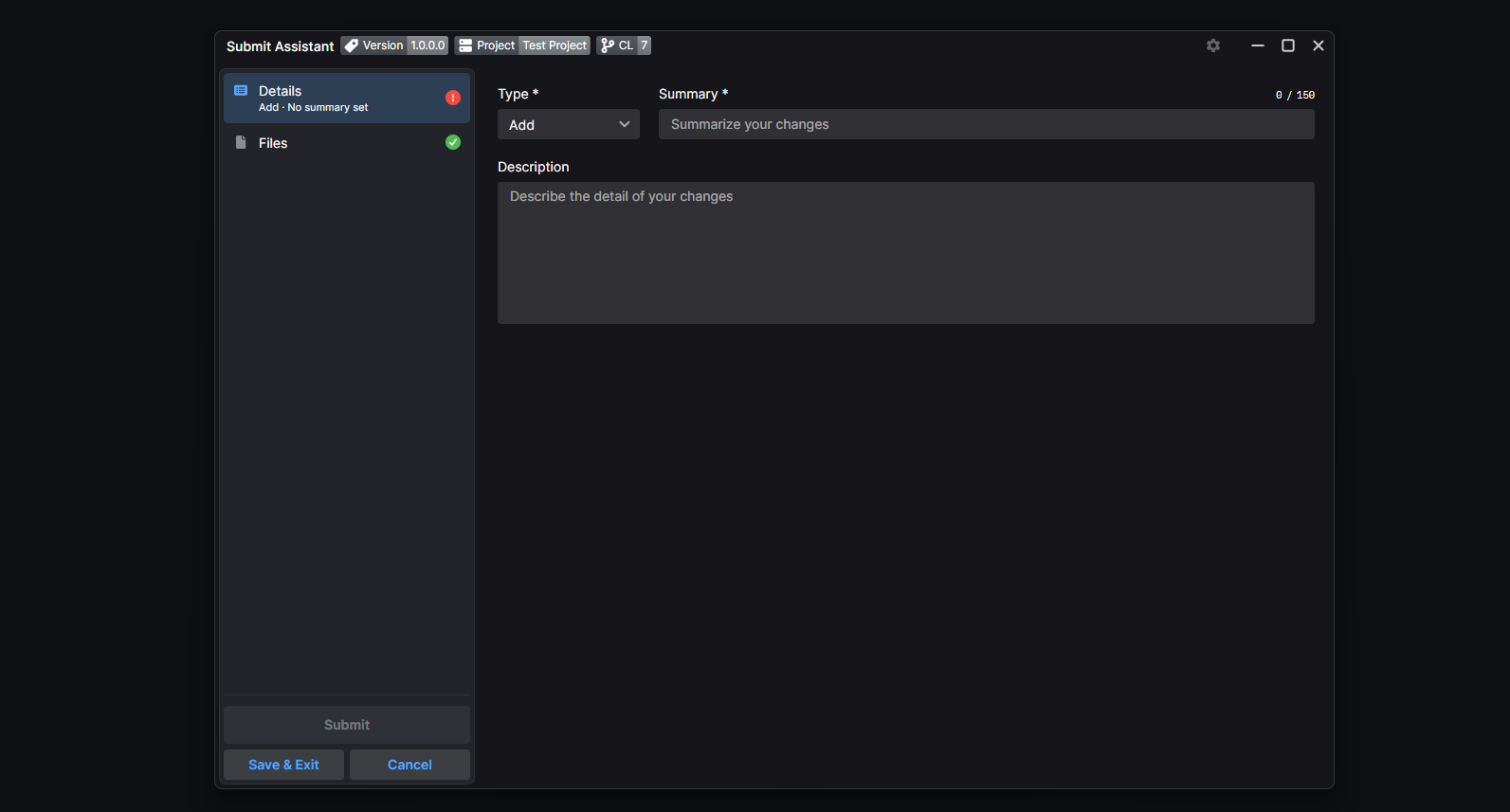
P4 Submit Assistant is a desktop tool that sits between developers and Perforce. It turns submitting a changelist into a guided process: it formats the description from structured information, runs validation checks before anything reaches the depot, and links the change to Jira tickets, all from a single window launched directly from P4V.
Why this project?
Submit tools like this one are everywhere in the video game industry. I have already worked on a similar tool myself, during the development of Marvel's Guardians of the Galaxy.
They exist because Perforce, out of the box, will accept anything you submit. On a game project, though, keeping the content stable is critical: a single broken asset or a failing build can block an entire team. Studios therefore build validation systems, and the submit tool becomes the automated gatekeeper that makes sure everything is in order before a change lands.
From my own experience, and from talking with peers at other studios, these tools share a common problem: they are usually built by a project, for that project, at a given point in time. They quickly pile up technical debt, and they are designed to work first rather than to be pleasant to use. As a result, developers often experience them as a constraint rather than as help.
The goal of P4 Submit Assistant is to take the opposite approach: a tool that adapts to any project, built on a clean foundation from day one, and where user experience matters as much as features. Developers should not feel forced to use it; they should feel that it helps them submit their work with confidence.
This project is also a personal learning ground. I use it to train myself in advanced use of AI in software development, and of Claude in particular: from designing the UI to discussing architecture choices and writing code. The goal is not to let the AI build the project for me, but to learn how to work alongside it effectively on a real, non-trivial codebase, and to understand where it truly helps and where human judgment remains essential.
Features
The feature set is built around one idea: everything a developer needs to submit correctly should be visible and actionable in one place.
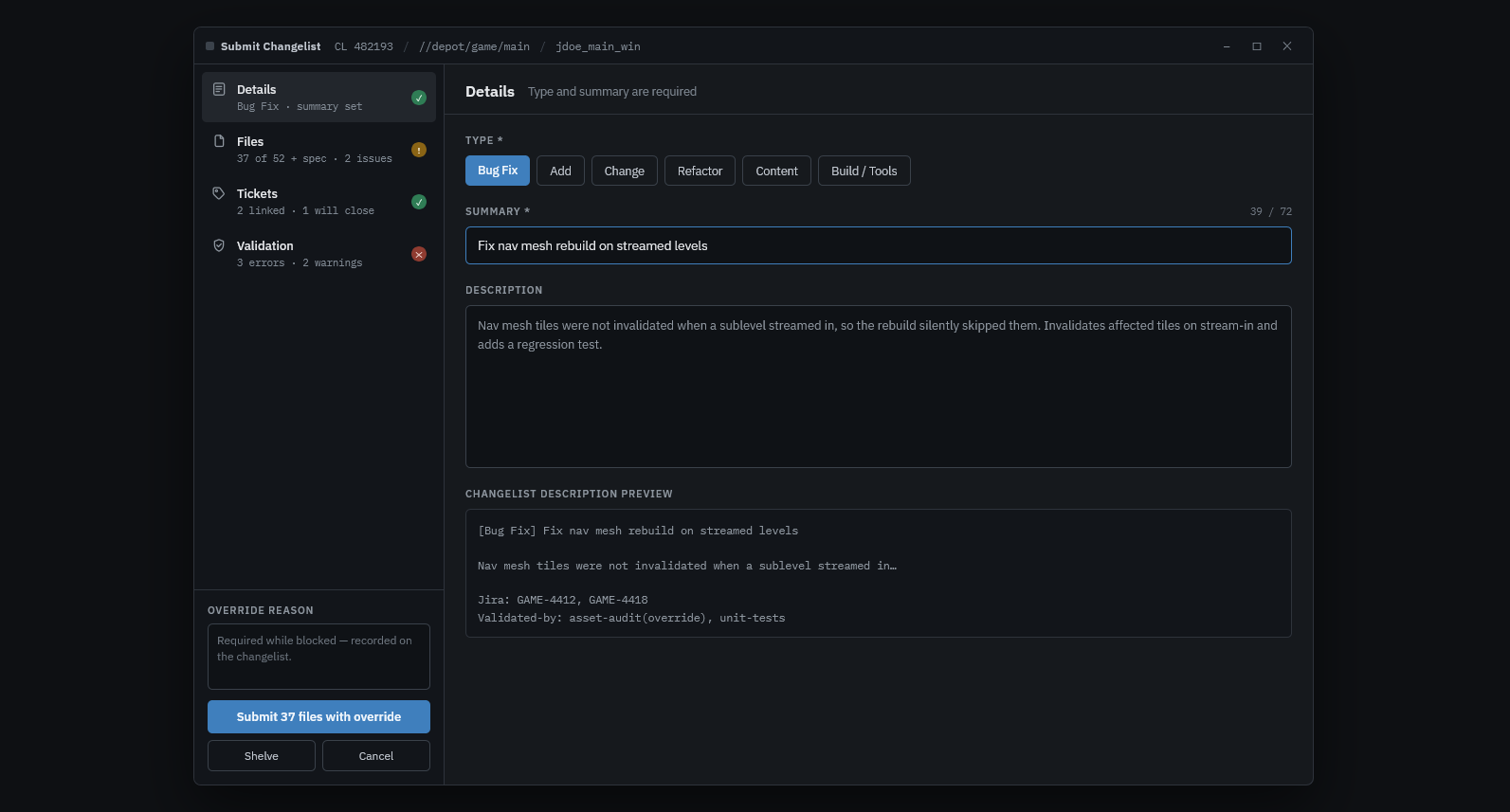
- Description formatting: the changelist message is generated from fields filled in the UI, so every submit follows the conventions without anyone having to remember them.
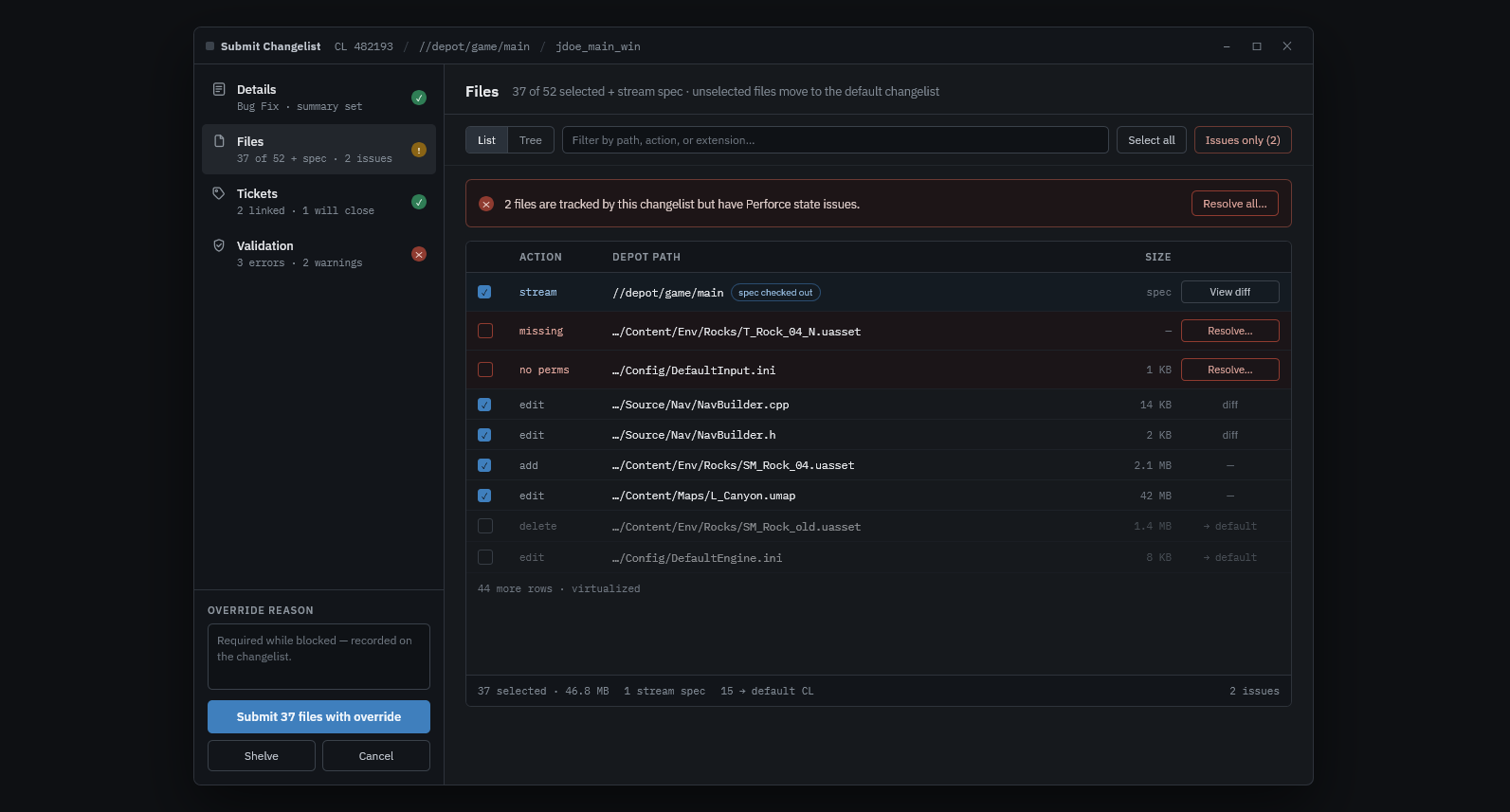
- File management: a clearer file list than P4V, the ability to pick exactly which files to submit, and immediate visibility on the files that have issues.
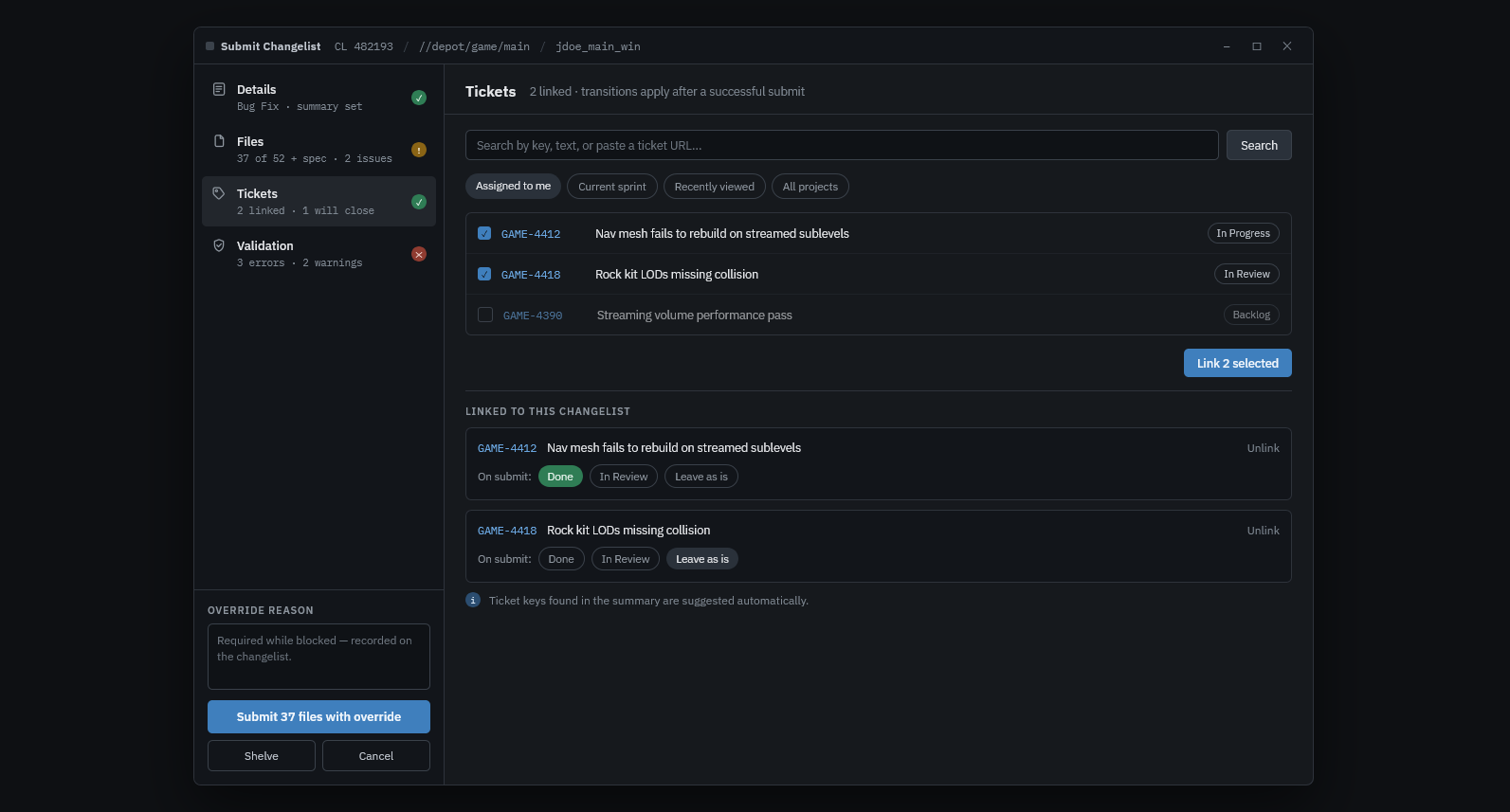
- Jira integration: link tickets to a changelist and update them automatically (for example, closing a ticket or changing its status once the change is submitted).
- Submit locks: temporarily block submissions on specific streams or depot paths, which is useful during a release, a branch integration or a build freeze.
-
Integrations with the tools studios already use:
- Engine validation for Unreal Engine and Unity
- CI/CD systems: TeamCity, Jenkins and Horde
- A plugin system to extend the built-in features with studio-specific logic.
- Highly configurable: the tool is meant to fit each project's workflow, not the other way around.
Technologies
The desktop client is written in C# with Avalonia. C# is one of the most widely used languages for game tooling, and Avalonia is a modern, cross-platform UI framework whose model is very close to WPF. That matters for adoption: a studio's tools team can extend the application without having to learn an entirely new technology.
The client follows the MVVM pattern with ReactiveUI, and uses DynamicData to keep large, constantly changing collections (such as the file list) fast and reactive. Communication with the server goes through the official P4 API.NET.
For dependency injection, I chose Autofac over Microsoft's built-in container. I find it simpler to work with, and it offers more advanced features, such as registering several implementations of the same interface and scopes, which fits naturally with a plugin-based architecture.
On the web side, I use ASP.NET Core and EF Core, two well-established and highly productive technologies in the .NET ecosystem. Data is stored in PostgreSQL, simply because it is a database I enjoy working with and know well, alongside Redis. The local development environment is orchestrated with .NET Aspire, and the administration frontend is built with TypeScript, Vue and Vuetify.
Architecture
The project is split into three components, each with a single, well-defined responsibility:
- The desktop client, launched from P4V. This is where developers fill in the changelist information, review validation results, manage files and link Jira tickets.
- The Perforce trigger, installed on the Perforce server. Its role is to guarantee that every changelist went through the desktop client, and not through P4V or the command line.
- The web service, a lightweight API that acts as the trusted link between the client and the trigger, along with its administration frontend.
These three pieces work together through a submission token:
- When the user submits, the desktop client requests a token from the web service.
- The client writes this token into the changelist description, right before submitting.
- On the server, the trigger reads the description and asks the web service whether the token is valid.
- If the token is missing or invalid, the submit is rejected.
This design means validation cannot be bypassed simply by submitting from another tool, while keeping the trigger itself small and simple: all the logic stays in the client, and the trigger only has to answer one question.
UI
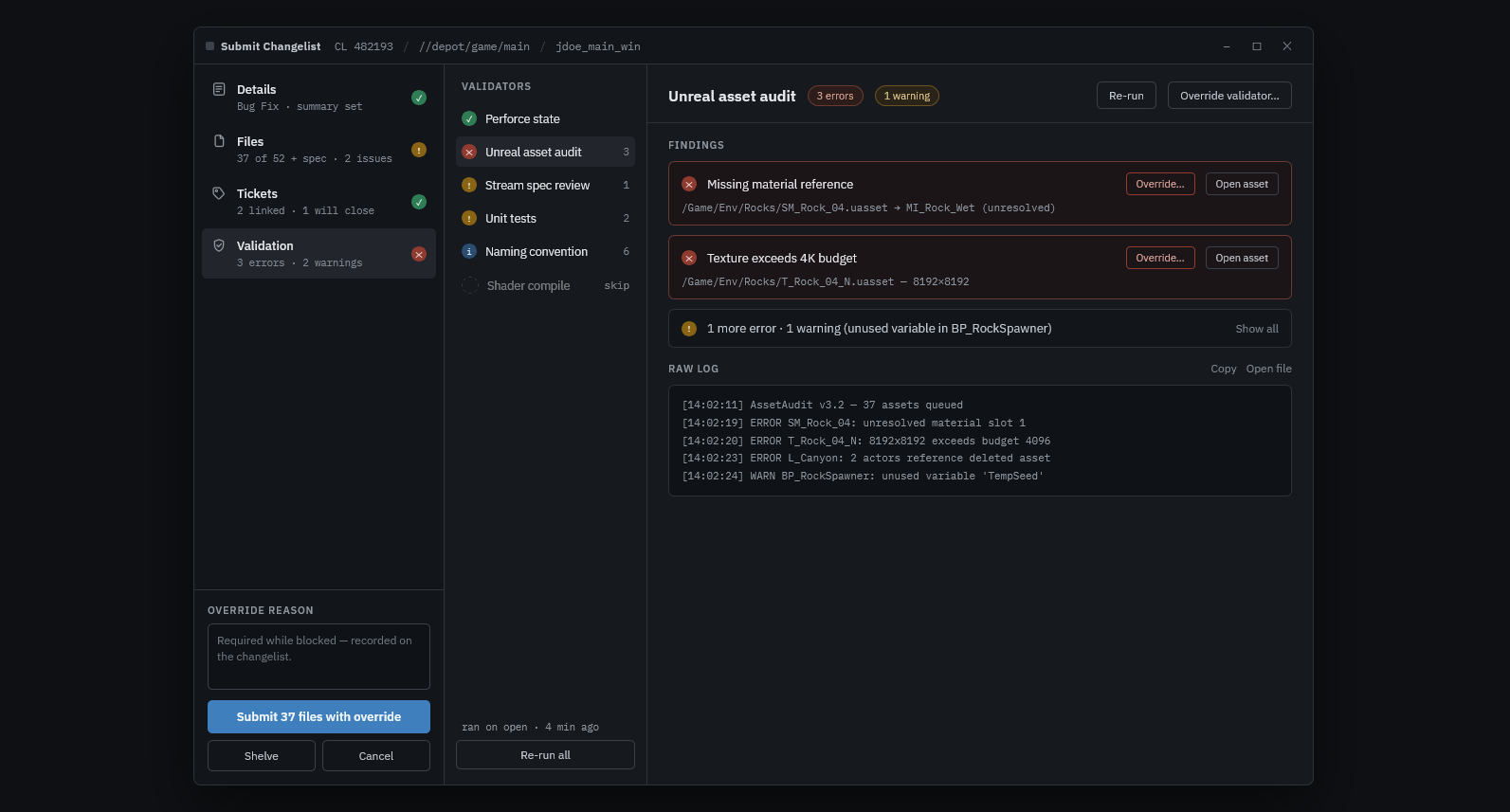
Here is a preview of the planned UI design, which is still a work in progress. It was designed in Figma, with help from Claude. The interface is organized into dedicated panels, so each step of the submit process gets its own focused view.
What's next?
To be honest, I have not decided yet what to do with this project, apart from using it for my own work.
Open source is an obvious option. However, I believe there is real commercial interest in a tool like this, and I am not keen on providing a lot of support for free.
On the other hand, turning it into a commercial product would require business development skills that I don't feel I have today. For now, the focus stays on building a tool that is genuinely good to use, and the rest will follow.